See how your cloud actually fits together - and what breaks when it changes.
Meshlyr continuously discovers every resource across AWS and GCP, maps how they connect, and turns that graph into answers: blast radius, per-resource cost, drift and business impact. Read-only. Keyless. Always current.
Explore the live demoWhat you can answer
The relationship graph is the engine - every feature is a question you ask of it, not another console to check.
How it works - and why you can trust it
Connect once, read-only. Meshlyr never touches your resources - it reads their configuration and builds the map off the request path.
Read-only, least-privilege
List/Describe/Get only. The full IAM policy is published - inspect the CloudFormation template before you apply it.
Metadata only - never your secrets
Meshlyr reads resource configuration. It is granted no permission to read secret values, parameter values, or object contents.
Keyless on GCP
Workload Identity Federation - no service-account key is ever created or stored. AWS uses AssumeRole pinned by a per-tenant ExternalId.
Pinned, one-way trust · no agents
The role you create trusts only Meshlyr’s exact control-plane identity, scoped to your account. Discovery runs on a schedule - nothing is installed in your environment.
A console you’ll actually want to open
Explore all of this live, on a full synthetic estate - nothing connected, nothing to sign up for.
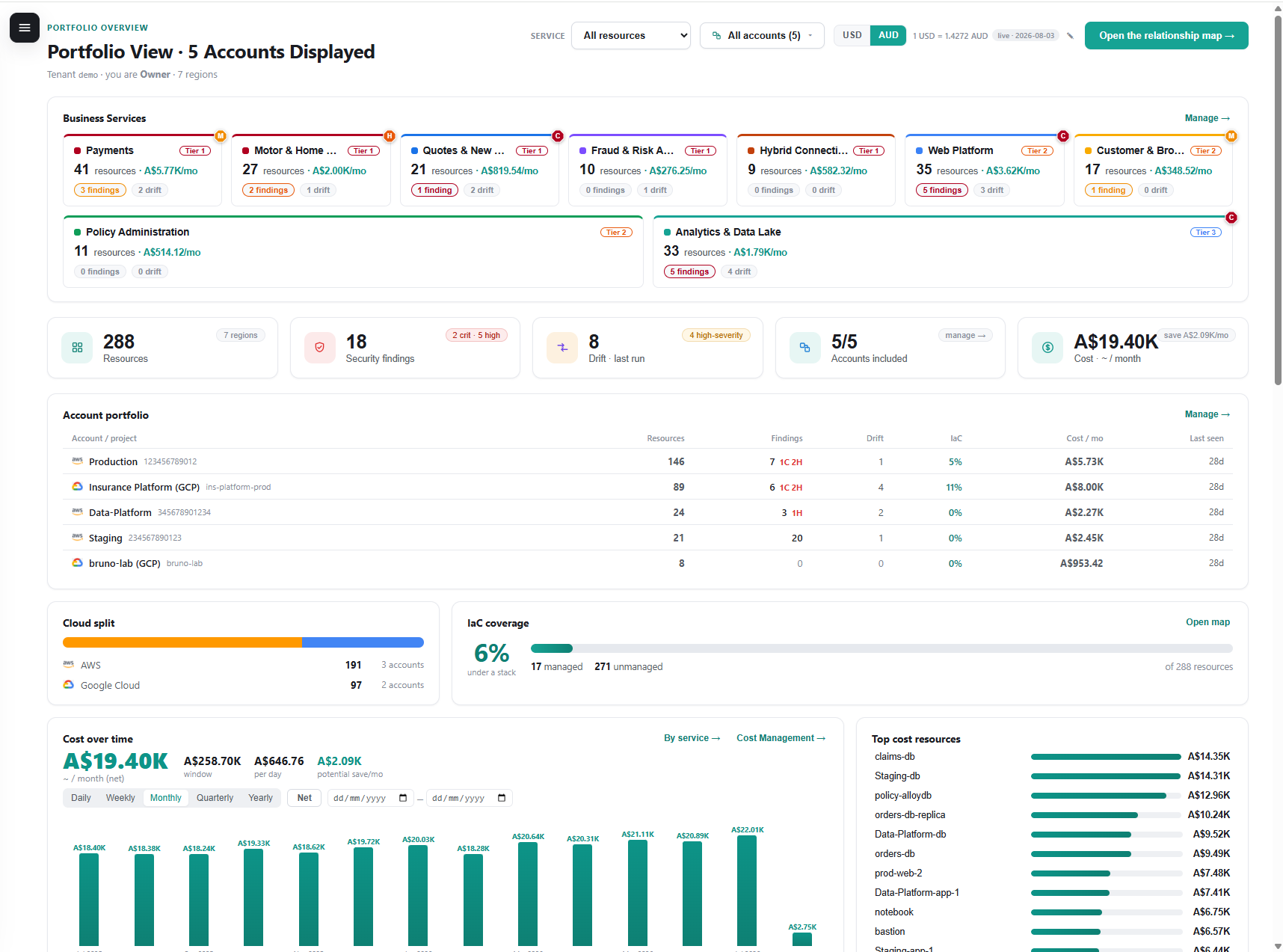
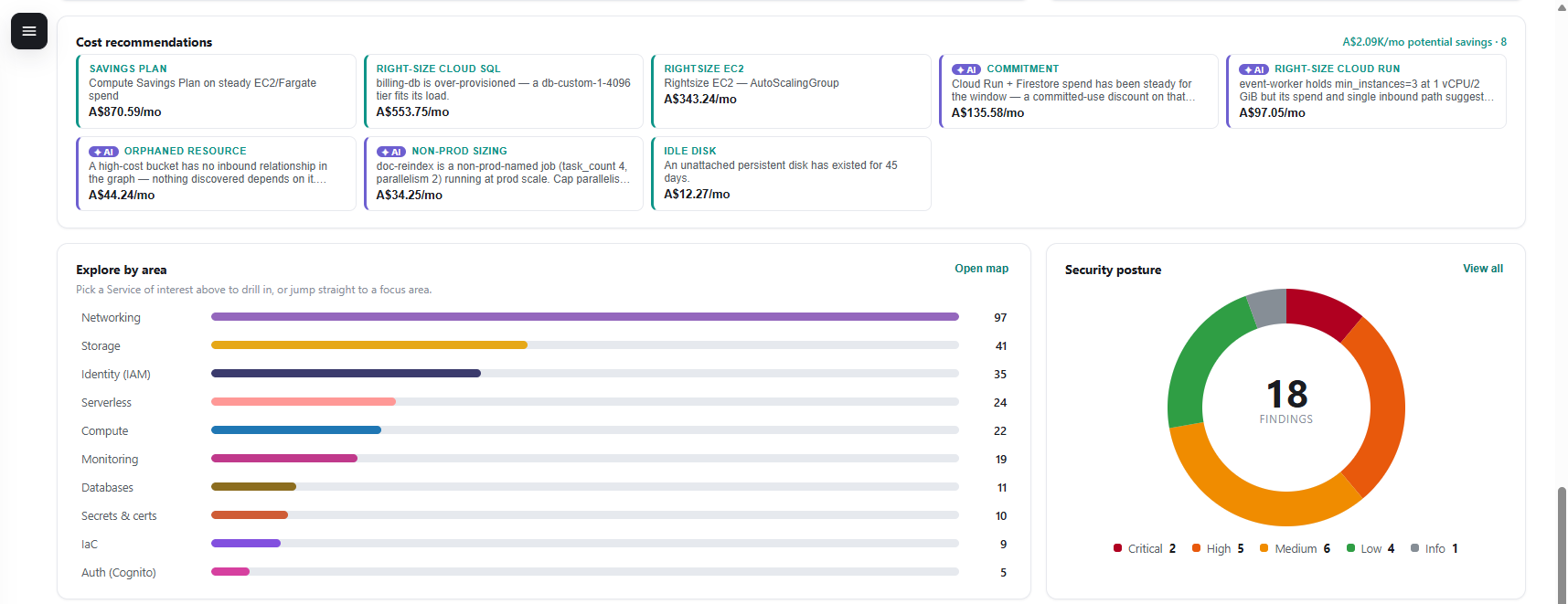
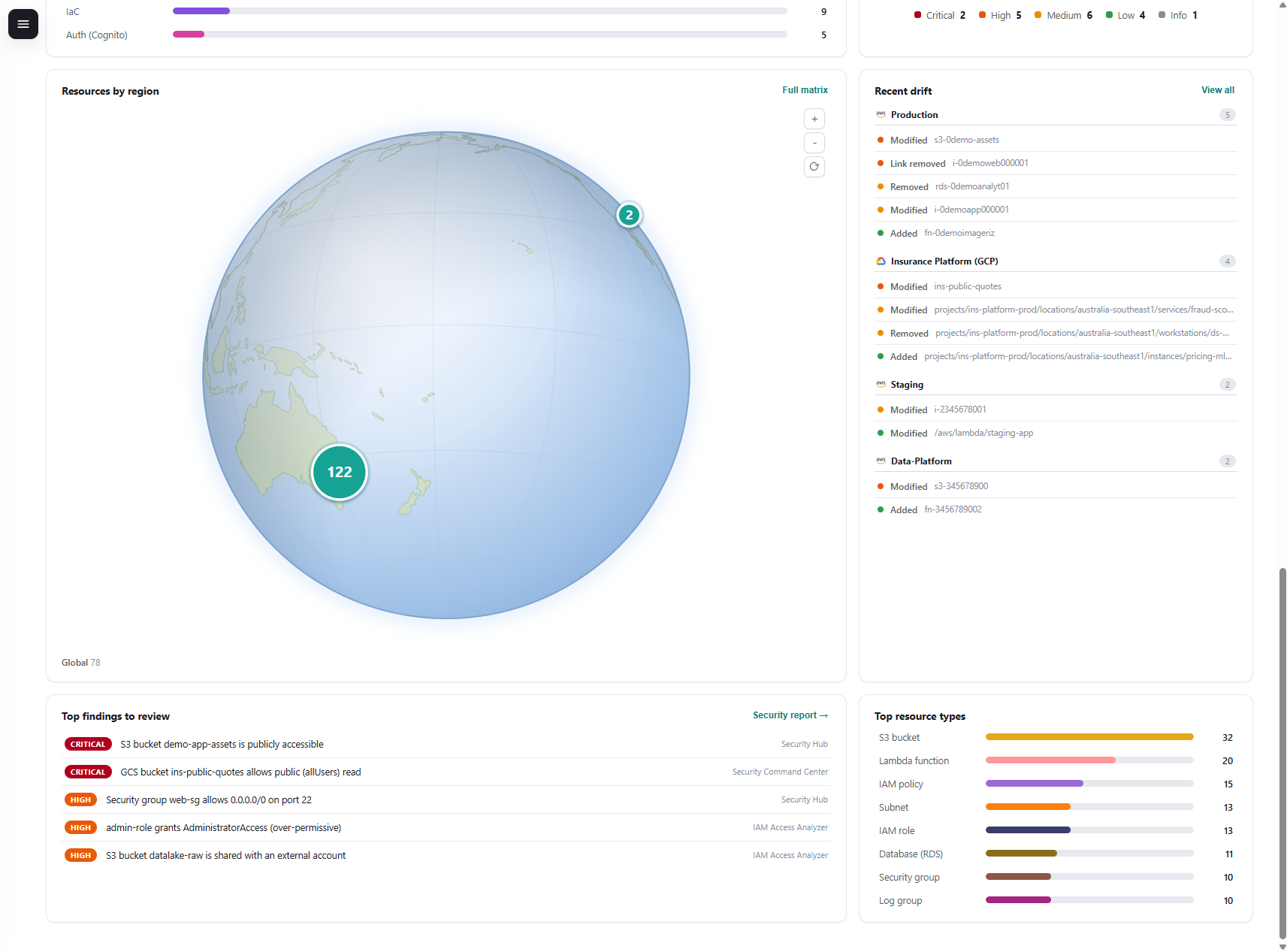
Portfolio dashboard
Resources by region on a live globe, cost, findings and recent drift - across every account.
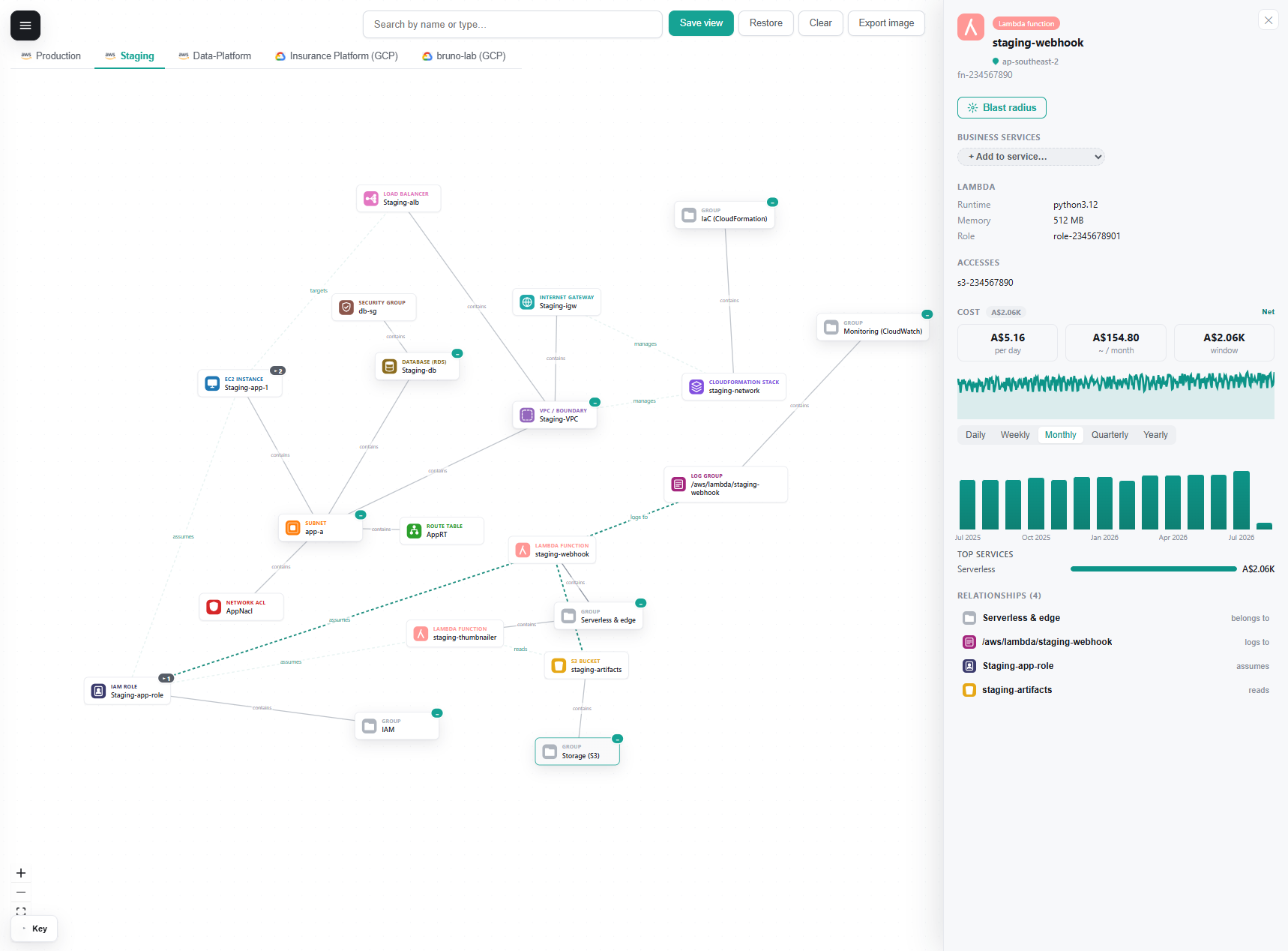
Relationship map
Click any resource for its dependencies, cost and relationships - filter by focus, region or service.
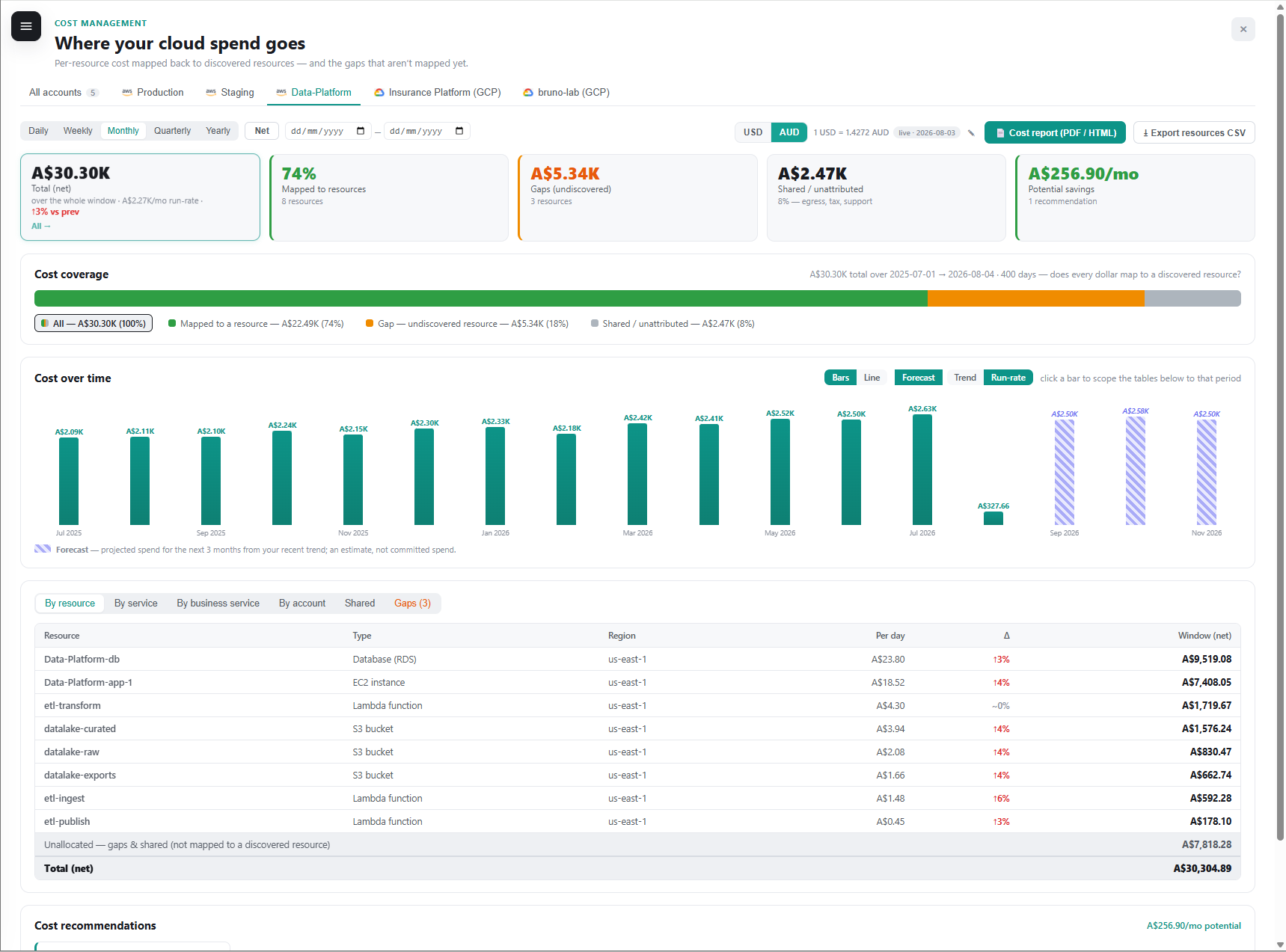
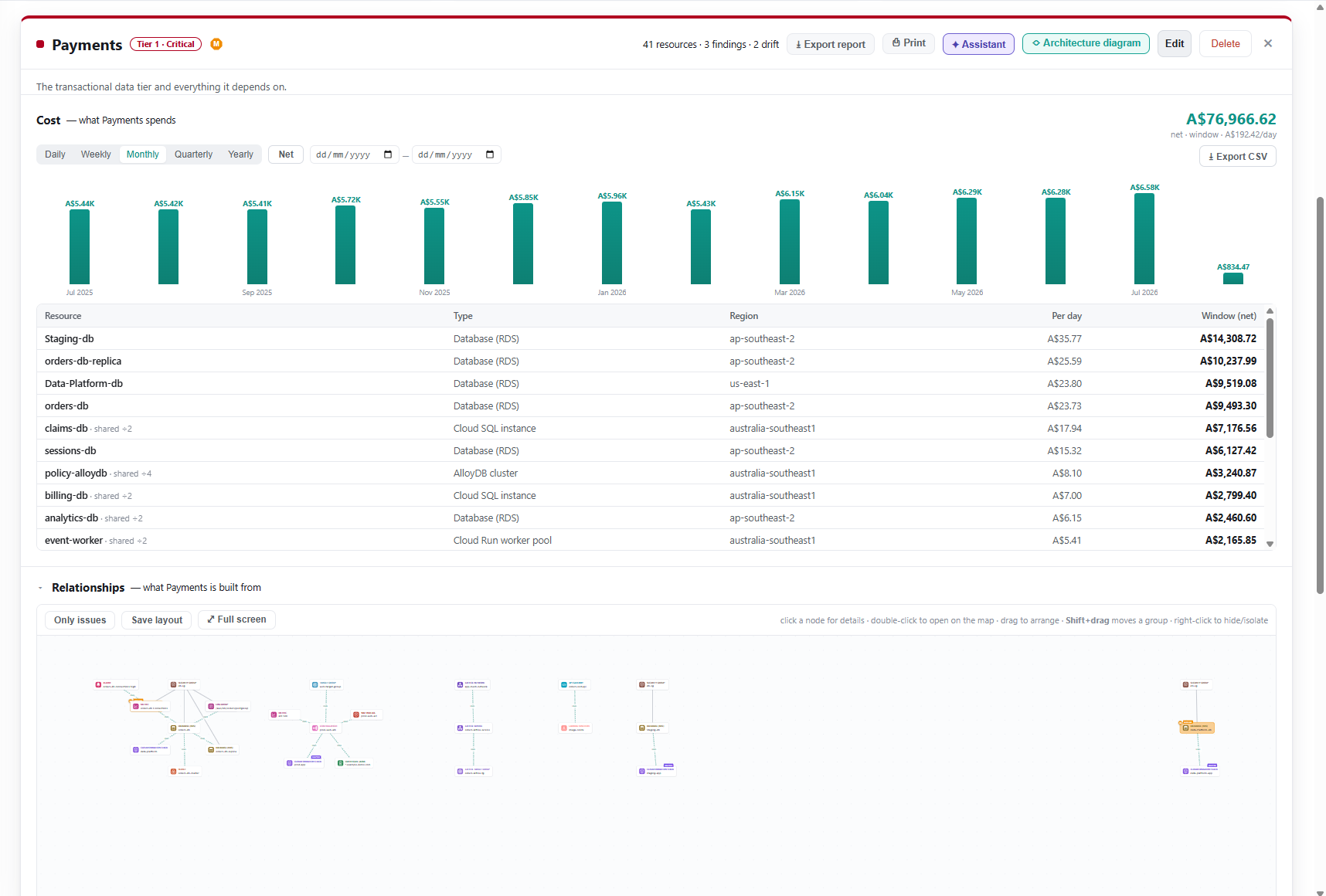
Per-resource cost
Where spend goes, mapped-vs-gaps coverage, a 3-month forecast, and cost per resource with Δ.
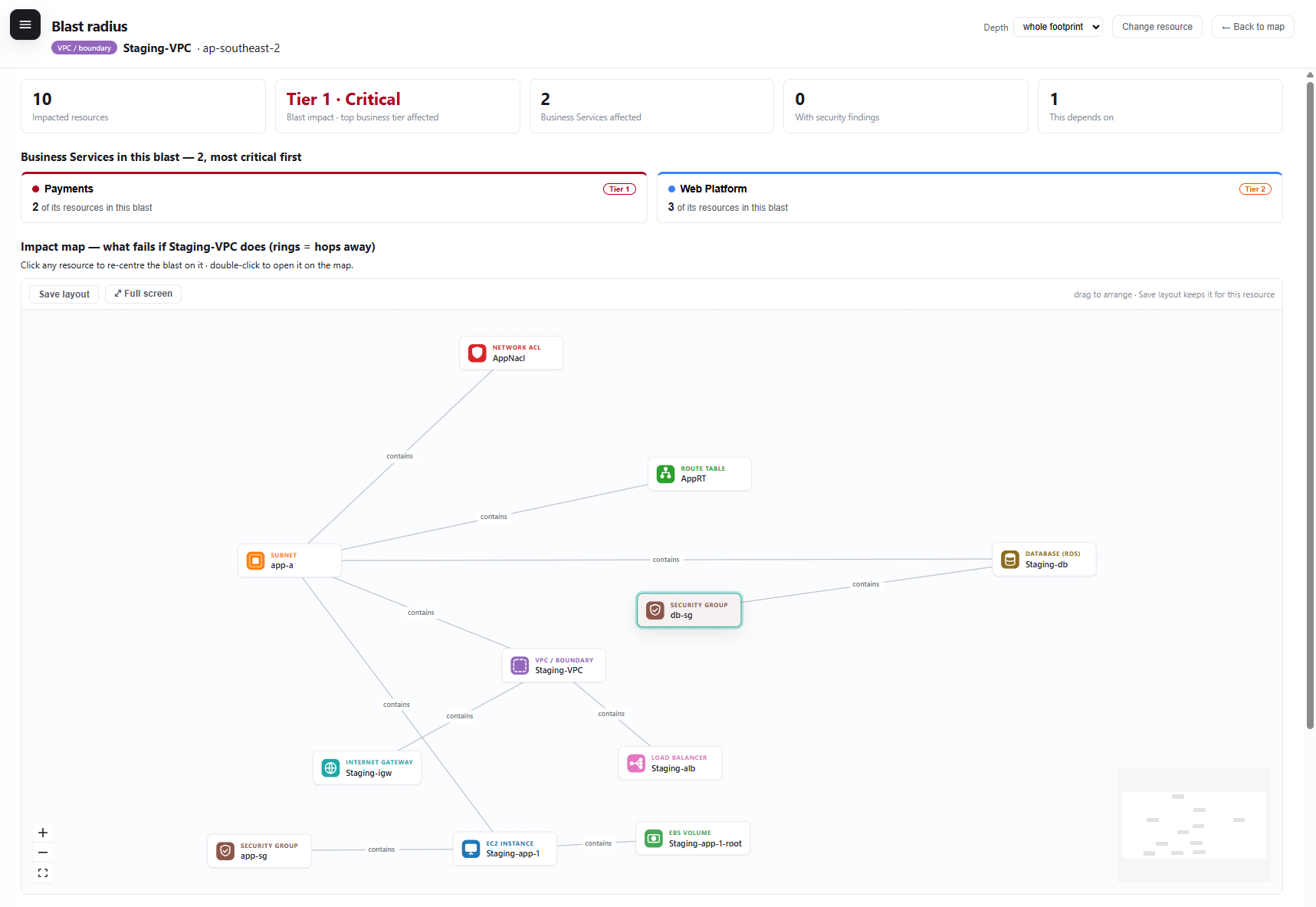
Blast radius
What fails if a resource goes down - impacted resources and the business services affected, most critical first.
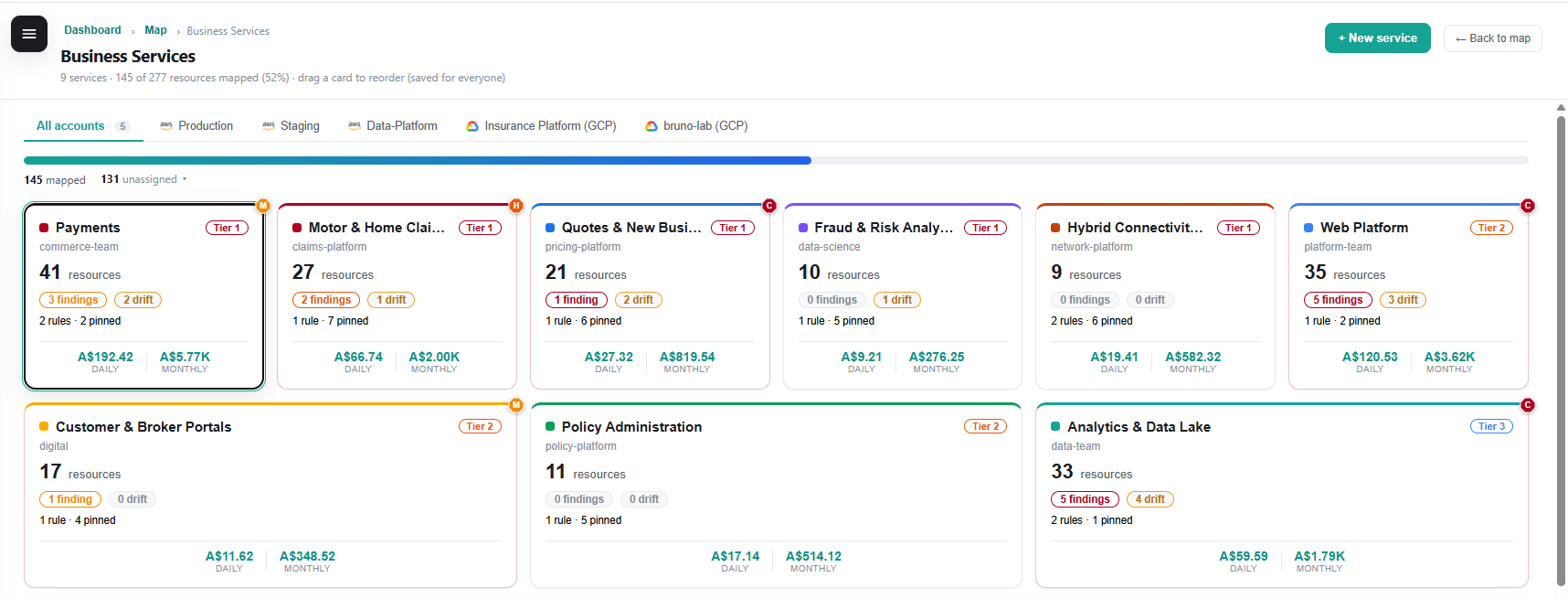
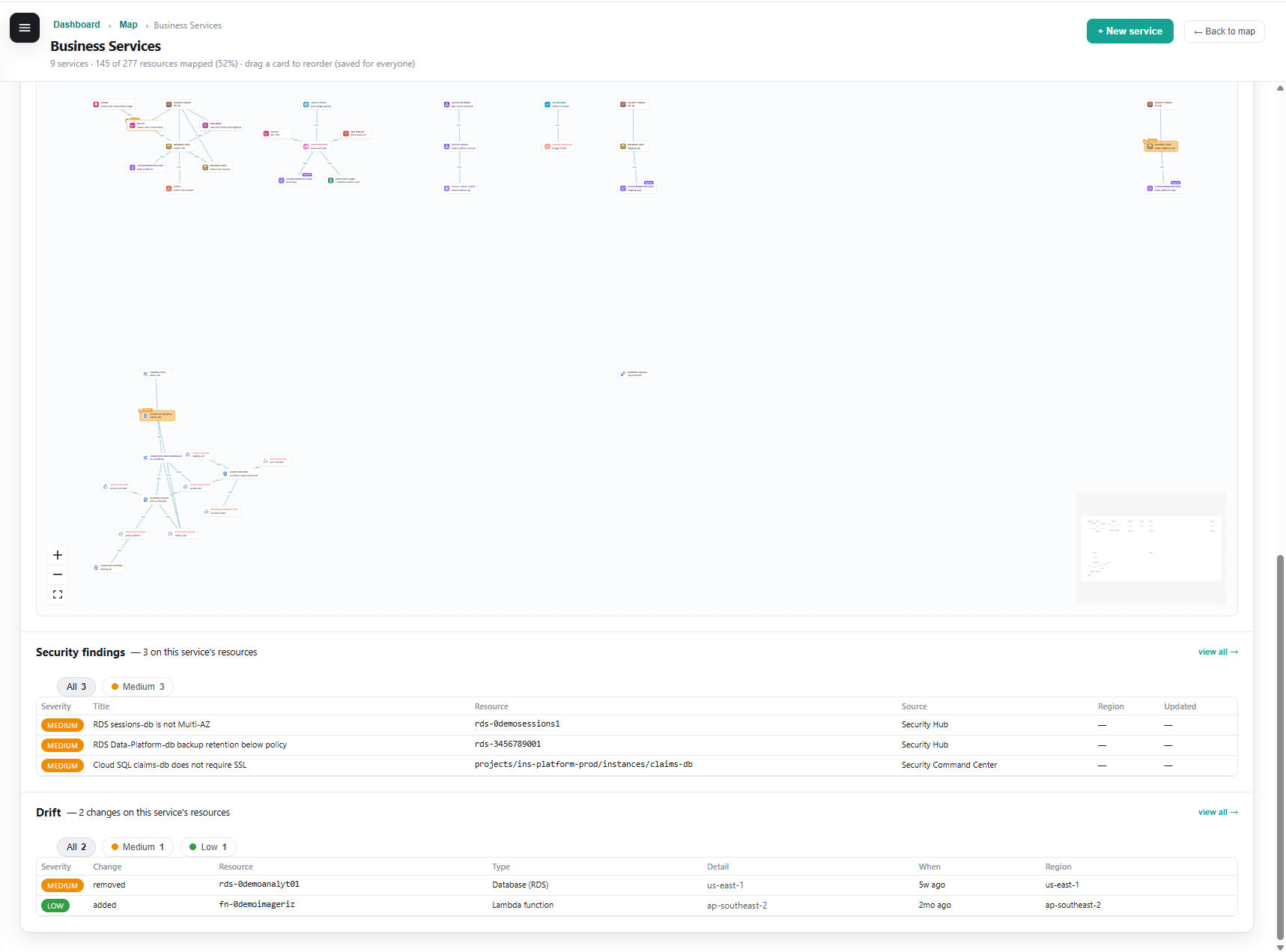
Business services
Risk and cost rolled up per service, a grounded AI assistant, and a per-service deep-dive with report export.
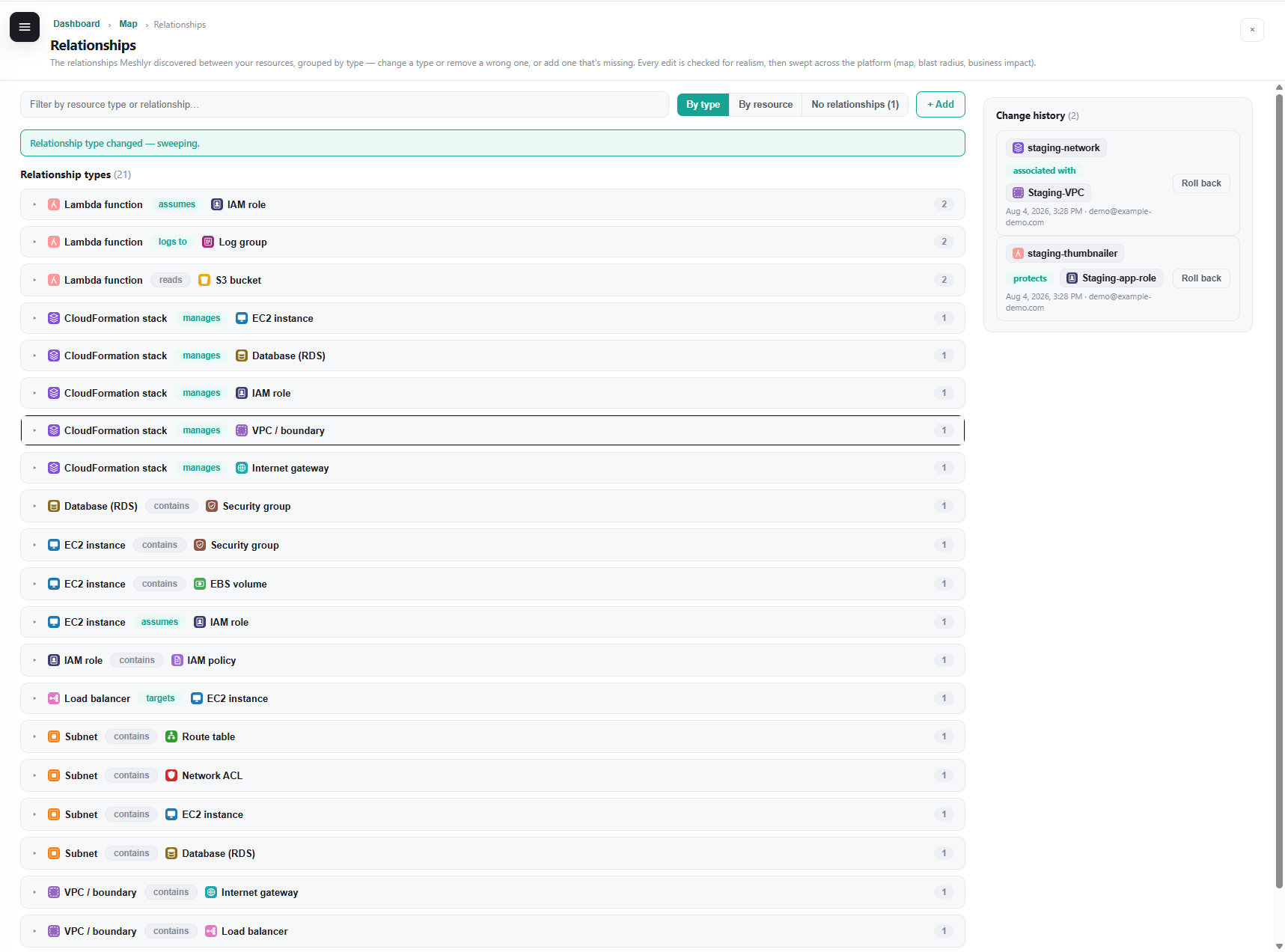
Relationships editor
Correct or add a relationship - guardrail-checked, swept across the platform, with dependency-aware, restorable rollback.
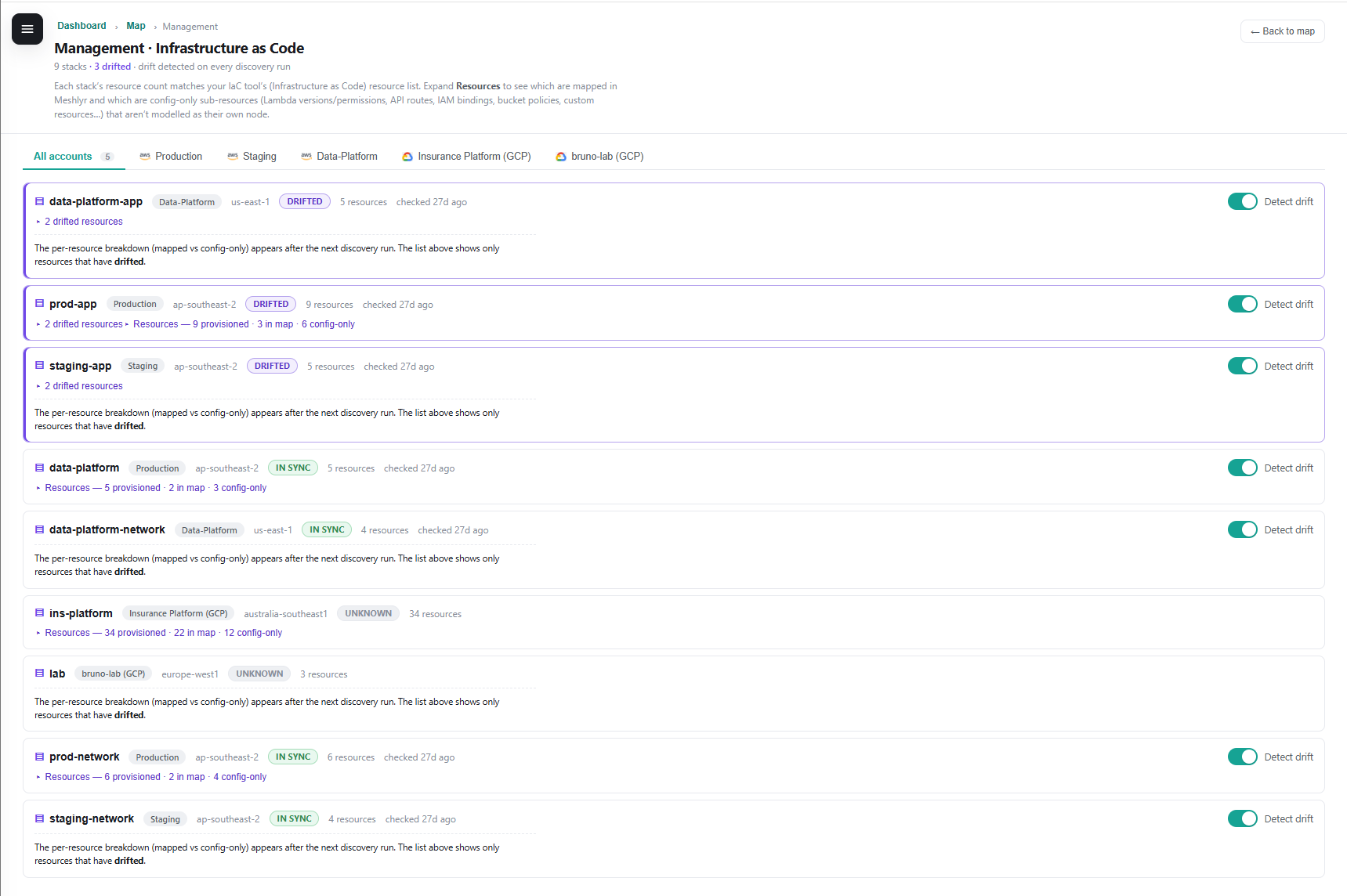
Drift & IaC
Which stacks have drifted, are in sync, or can’t be checked - with a per-change history since your last snapshot.
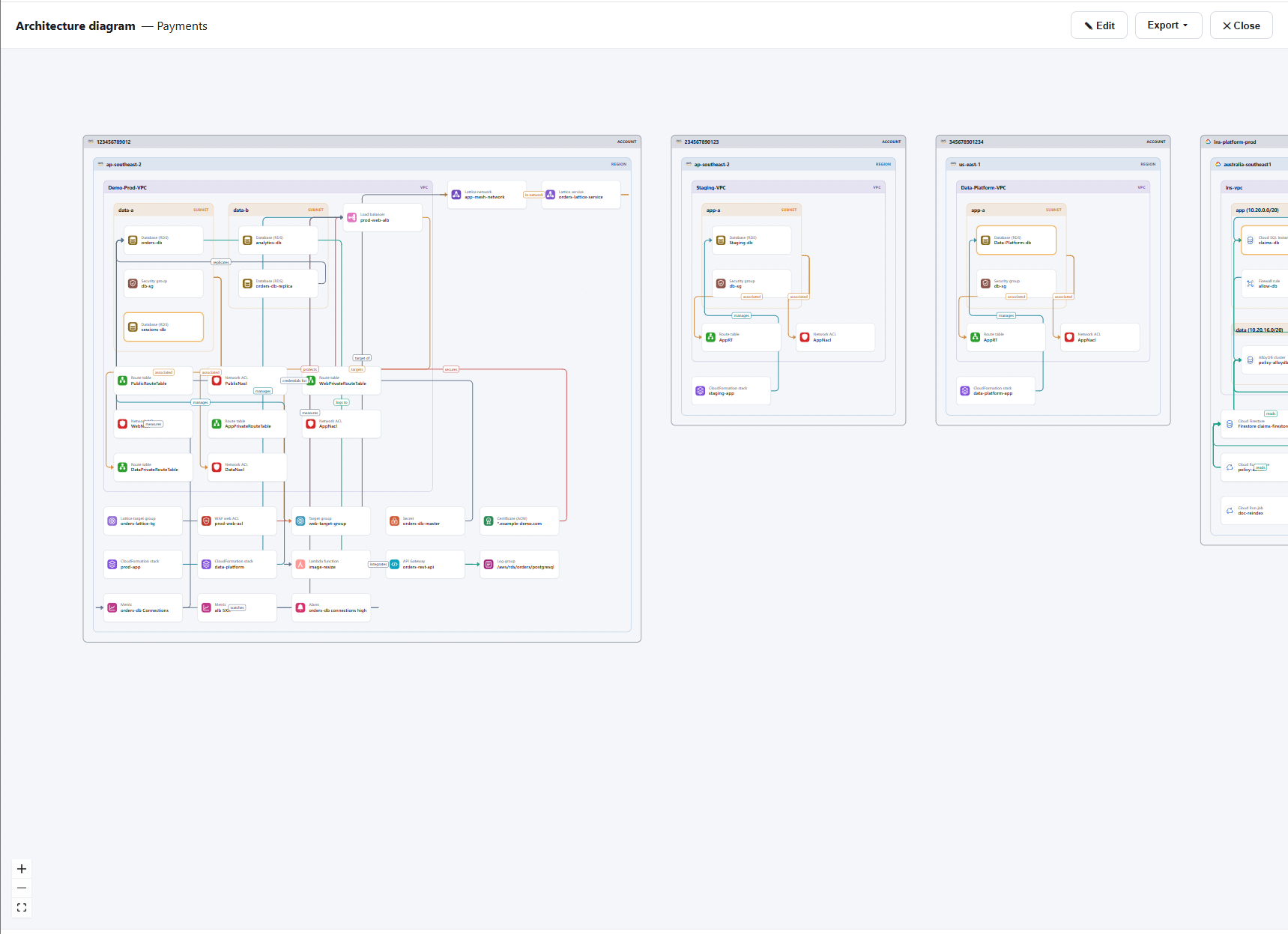
Architecture diagram
A nested Account → Region → VPC → subnet topology of a service - exportable to PNG, SVG or draw.io.
Reports you can hand to finance or an auditor
Self-contained, printable exports - open two real examples (synthetic data, new tab).
Early access - join the pilot
We’re onboarding a small group of design partners and shaping pricing with them.
Pilot
Bring your AWS and GCP accounts - or just explore the demo first. Simple per-connected-account pricing after the pilot. No lock-in, no per-seat games.
- Multi-account, AWS + GCP
- Blast radius, cost, drift, business services
- Read-only, keyless onboarding
- Printable cost & service reports
Questions, answered
The things people ask before connecting a cloud account.
1. What access does Meshlyr need?
A scoped, read-only role (List/Describe/Get). On AWS it’s a CloudFormation stack you can inspect before applying; on GCP it’s keyless Workload Identity Federation. Meshlyr is never granted permission to read secret values or object contents.
2. Which clouds and accounts are supported?
AWS and GCP today, multi-account and multi-region. One cloud-neutral graph means every feature - blast radius, cost, drift, business services - works identically across both.
3. Where does my data go?
Discovery reads resource configuration (metadata) and stores a snapshot in the control plane - the app only reads that snapshot. No agents are installed in your environment. Ask us for the full data-handling details.
4. What does it cost?
It’s free during the early-access pilot. After that, simple per-connected-account pricing - no per-seat games. Explore the demo first; it needs no cloud access.
See your kind of cloud, mapped
Explore the full demo on synthetic data, or talk to us about connecting your accounts.